
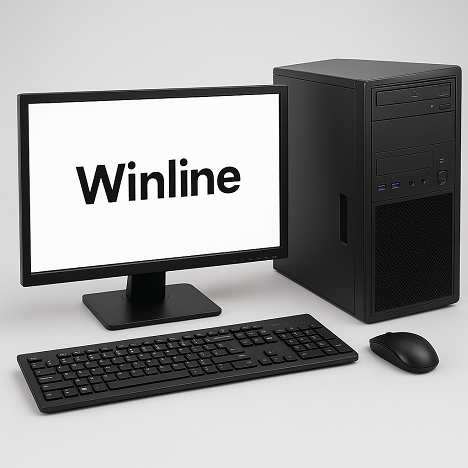
Why Winline Desktops Are Reliable and Truly Cost-Effective
Winline desktops are designed for customers who value stability, long-term savings and data safety. Instead of using unknown or locked-down components, we build every system with high-quality, globally available brand parts. That means your desktop is easier to service, easier to upgrade and far more dependable over its entire life cycle.
Whether you are running accounting software, business applications, design tools or office workloads, Winline systems are built to handle daily use with minimal downtime and maximum serviceability.
- Genuine Intel® CPUs, Gigabyte® motherboards, Samsung® RAM
- WD® / Seagate® SSDs & HDDs for reliable and available storage
- Recommended 256GB SSD + 1TB HDD architecture for speed and safe data placement
- Standard, non-proprietary parts – easy to replace worldwide, even after warranty
1. Built from Genuine, Industry-Standard Components
Many low-cost desktops hide compromises inside the cabinet. The sticker on the front may look impressive, but the internal components are often generic, mixed brands or even refurbished without clear information. Winline takes the opposite approach: we clearly specify and use known, trusted brands.
- Intel® Processors – Stable performance, mature driver ecosystem and long-term compatibility with operating systems and business software.
- Gigabyte® Motherboards – Quality PCB, solid VRMs, reliable capacitors and standard ATX layouts that make repairs and upgrades straightforward.
- Samsung® RAM – High-quality memory modules reduce random crashes, freezes and blue screen errors caused by unstable or low-grade RAM.
- WD® / Seagate® SSD & HDD – Two of the world’s leading storage brands, ensuring predictable behavior, better firmware support and easier replacement.
By using genuine components, we significantly reduce the risk of random, hard-to-diagnose failures. Your system runs more consistently, and when service is required, technicians know exactly what they are dealing with.
2. Easy Service and Part Replacement – Even After Warranty
A critical advantage of Winline desktops is that they are built with standard, non-proprietary parts. We do not lock you into a custom motherboard, custom power connector or non-standard casing that only one service center can handle.
This design philosophy gives you three major benefits:
- Faster Repairs: Most replacement parts – RAM, SSD, HDD, power supply, even CPU and motherboard – can be sourced from local or online vendors worldwide.
- Lower Repair Costs: Because we use standard parts, you benefit from market competition and fair pricing, rather than paying a premium for brand-specific spare parts.
- Longer Lifecycle: Instead of discarding the entire desktop, you can upgrade or replace only the components that need attention, extending useful life by several years.
For businesses and professionals, this translates into a lower Total Cost of Ownership (TCO): you invest once in a strong base system and keep it productive through affordable, incremental upgrades.
3. Our Recommended Storage Layout: 256GB SSD + 1TB HDD
Storage is not just about capacity; it is about speed, safety and structure. That is why we strongly recommend a dual-drive design in Winline desktops:
- 256GB SSD (Solid-State Drive) – Dedicated to the operating system and software applications.
- 1TB HDD (Hard Disk Drive) – Dedicated to your data: documents, Tally/ERP databases, project files, media and backups.
This arrangement delivers the best of both worlds:
- High Performance: The SSD makes Windows boot faster, improves application launch times and keeps the system responsive, even under heavy load.
- Cost-Effective Capacity: The HDD provides large storage space at a lower cost per GB, ideal for growing business data and archives.
- Clear Separation of System and Data: Your operating system and programs live on the SSD; your important data is stored on the HDD, making management and protection easier.
4. Why HDD Data Is Usually Easier to Recover Than SSD Data
One of the less-known but very important reasons behind our storage recommendation is the difference in data recovery possibilities between HDD and SSD. Both drives can fail, but the nature of failure and the chances of data recovery are not the same.
4.1 How HDD Stores Data (More Recovery-Friendly)
A traditional hard disk drive (HDD) uses spinning magnetic platters and a read/write head. When you delete a file:
- The file’s entry is removed from the file system, but the underlying magnetic data usually remains on the platter until it is overwritten by new data.
- Specialised software can often scan the drive surface, read those “orphaned” sectors and reconstruct deleted files.
- Even if the drive has mechanical issues, professional data recovery labs can sometimes replace the head assembly or move platters into a compatible donor drive to attempt recovery.
Because of this physical structure, HDDs often offer a realistic chance of partial or full data recovery after logical errors, accidental deletion or certain types of hardware fault—especially if the drive is powered off early and sent to professionals.
4.2 How SSD Stores Data (Much Less Forgiving)
A solid-state drive (SSD) is completely different. There are no moving parts. Instead, data is stored in flash memory chips, managed by a sophisticated controller that performs:
- Wear Leveling: Distributes writes across memory cells to extend the life of the drive.
- TRIM: Informs the SSD which blocks are no longer needed so they can be erased proactively.
- Garbage Collection: Frees and consolidates blocks in the background to keep performance high.
These technologies are excellent for performance and longevity, but they make data recovery more difficult:
- When files are deleted and TRIM is active, the SSD may quickly erase the corresponding cells. Once erased, the old data is practically unrecoverable.
- Because of wear leveling, the logical address of data does not match a fixed physical location, complicating low-level reads from chips.
- If the SSD’s controller or firmware fails, accessing the raw data on the flash chips requires highly specialised tools and knowledge—often at very high cost, with no guarantee of success.
In simple terms: HDDs are more forgiving; SSDs are less forgiving when something goes wrong. That is why we recommend keeping your core data primarily on the HDD and using the SSD for system and application files.
5. How Winline Desktops Protect Both Your Data and Your Budget
By combining high-grade components with a smart storage layout, Winline desktops aim to give you long-term value, not just a low initial price.
- Performance Where It Matters: SSD for OS and applications keeps your day-to-day work fast and responsive.
- Safe, Scalable Storage: HDD for data offers room to grow and better recovery options if something goes wrong.
- Lower Downtime: Reliable brand components reduce the frequency of unexpected failures.
- Controlled Costs: Standard parts keep repair and upgrade costs predictable and affordable.
- Long-Term Use: You can extend the life of the same system by adding more RAM, upgrading the HDD/SSD or replacing individual parts as needed.
For businesses, professionals and power users, this approach means fewer interruptions, more predictable expenses and a desktop platform that can grow with your needs.
6. Frequently Asked Questions (FAQ)
Q1. Can I use only SSD without HDD in my Winline desktop?
Yes, it is technically possible to use only an SSD. However, for most business and professional use cases, we strongly recommend a dual-drive setup (SSD + HDD). This lets you enjoy SSD speed while keeping your main data on a drive that is generally more recovery-friendly and more economical for large capacities.
Q2. What happens if my SSD fails?
If the SSD fails and your operating system and programs were installed there, Windows may not boot. However, if your data is stored on a separate HDD as recommended, the data itself is usually unaffected. We can replace the SSD, reinstall the OS and reconnect the HDD so you can continue working with minimal data loss, assuming recent backups and a healthy HDD.
Q3. What happens if my HDD fails?
If the HDD fails, the system may still boot from the SSD, but your data stored on the HDD could become inaccessible. In many cases, professional data recovery labs have a reasonable chance to recover data from HDDs, depending on the nature of the failure. Regardless, we always recommend regular backups because no storage technology is immune to failure.
Q4. Are Winline desktops suitable for office networks and multi-user environments?
Yes. Winline desktops are built with branded, reliable hardware that performs well in office environments and networked setups. With the right configuration, they can handle accounting suites, CRMs, productivity tools and other line-of-business applications used by multiple users over time.
Q5. Can I upgrade my Winline desktop later (RAM, SSD, HDD, graphics)?
In most cases, yes. Because we use standard Intel processors, Gigabyte motherboards and common form factors, you can upgrade RAM, storage or even add a dedicated graphics card (where supported) at a later stage. This makes Winline desktops a future-ready investment.
7. Conclusion
Winline desktops are engineered for customers who do not want to compromise on reliability, data safety or long-term value. By using genuine Intel, Gigabyte, Samsung, WD and Seagate components, combined with a recommended 256GB SSD + 1TB HDD layout, we deliver systems that are:
- More stable in daily use
- Easier to repair and support anywhere
- Better structured for data safety and recovery
- More economical over their full lifetime
For customised configurations, bulk orders or specific workload requirements, please contact Winline. Our team can help you choose the ideal specification based on your applications, user count and budget.